Editorial staff
- What Does an Interactive Meeting Really Mean in 2026?
- Step-by-Step Plan to Run an Interactive Meeting
- How Interactive Zoom Meetings Work in 2026
- Simple Meeting Flow You Can Copy-Paste
- Make Participation Easier for Quiet People
- Common Mistakes That Reduce Participation
- After the Meeting: Follow-Up That Keeps People Engaged
- Conclusion
- FAQ
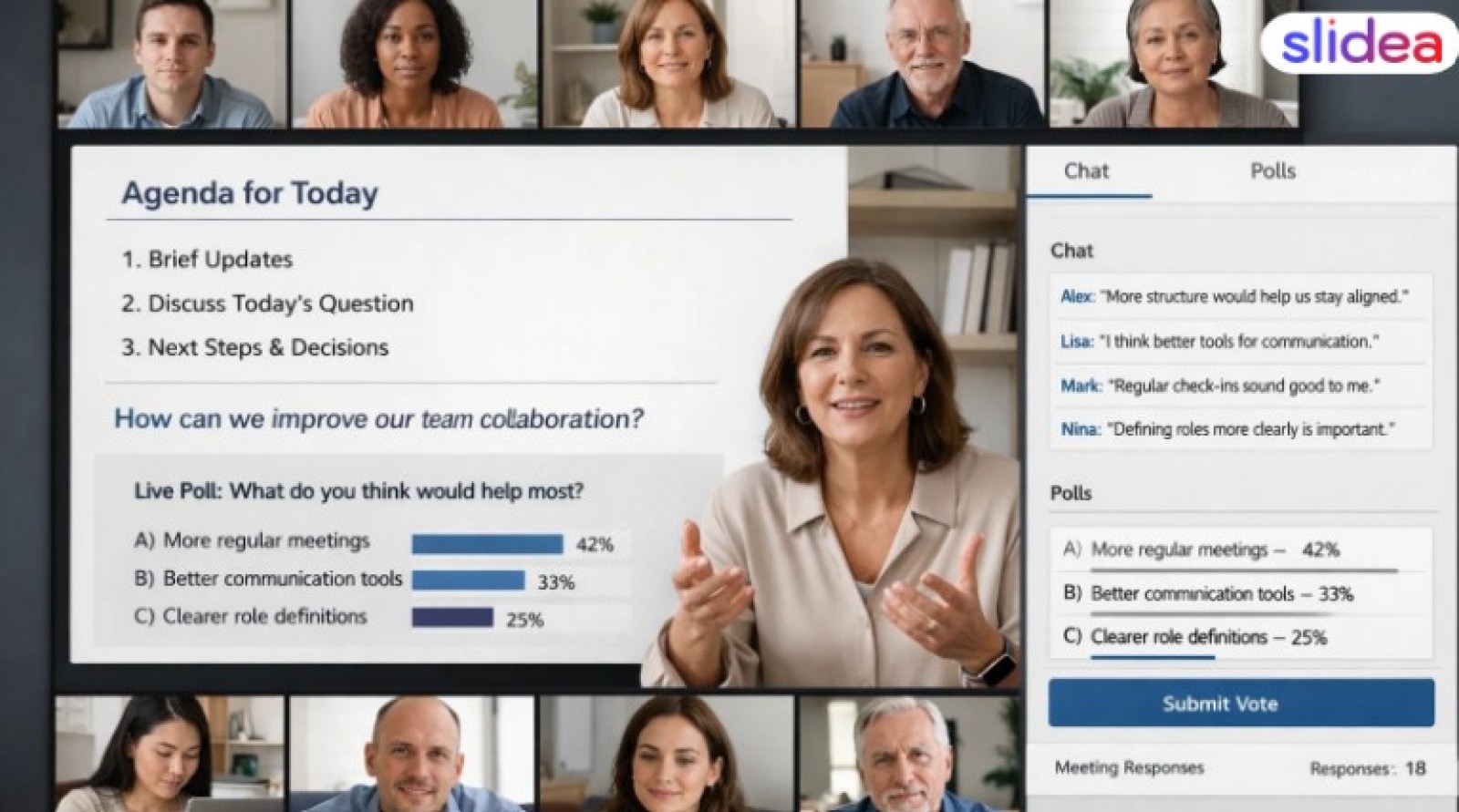
What Does an Interactive Meeting Really Mean in 2026?
An interactive meeting is not a long speech.
It is a meeting where people do something:
- Answer a guided question prepared before the meeting
- Vote on clear options linked to a decision
- Type short input that can be summarised automatically
- Share one idea (even if it’s small)
- React with a yes/no
The goal is simple: More voices, better thinking, faster decisions.
Step-by-Step Plan to Run an Interactive Meeting
Step 1: Pick One Clear Goal
Before you open the meeting, define the decision you want to reach.
Choose one:
- Make a decision
- Collect the ideas
- Solve a problem
- Share the updates with questions
- Align the team on the next steps
Keep it short and decision-focused. Example:
- Warm-up (2 minutes)
- Main topic and activity (10–20 minutes)
- Decision and next steps (5 minutes)
Say the agenda in simple words at the start:
We’ll do a quick warm-up, then solve one problem together, and then we’ll agree on the next steps.
Step 3: Establish Safe Guidelines for Speaking
People participate more when interaction feels safe and structured.
Use these rules:
- Short answers are okay.
- Chat answers count as participation.
- No concept is silly.
- You can pass if you want.
This small step makes a big difference.
How Interactive Zoom Meetings Work in 2026
In 2026, interaction works best when it is planned, guided, and supported by the meeting system—not improvised.
1) Use a 1-Question Poll That Supports a Decision
Ask something easy.
Examples:
- Which option should we focus on—and why?
- Where do you see the biggest risk right now?Which option should we move forward with—and what is the main reason?
2) Use Chat as Structured Input
Ask for short chat replies.
Examples:
- Type 1 if you agree, 2 if you disagree.
- Type one word that describes the biggest risk you see.
- Drop one risk you see that could block the decision.
Chat helps quiet people join without pressure.
3) Use Reactions for Quick Checks
Reactions save time.
Examples:
- Thumbs up if this plan works.
- Raise your hand if you have a question.
This keeps the meeting moving and stops long silences.
Simple Meeting Flow You Can Copy-Paste
This is a simple, effective flow for a 30-minute active discussion. You can run this on Zoom, and if you utilize interactive presentation software, you can maintain participation smoothly by including live polls, word clouds, and Q&A directly in your slides.
Welcome and Goal (1 Minute) - Today, we will choose one option and confirm the owner.
Warm-up in chat (2 mins) – One word: what could block today’s decision?
Quick context (5 mins) - Keep slides short: 3 points only.Interactive moment (10 mins) - Poll, chat answers, and 2 people speak.
Decision (7 mins) – We choose option B, confirm the owner, and set the deadline.
Close (5 mins) - recap who owns what and when to follow up.
Make Participation Easier for Quiet People
Not everyone will talk on audio. That’s okay.
Use low-pressure options:
- chat answers
- yes/no polls
- small groups (breakout rooms) with 1 question
Try Think → Type → Talk
This is a simple method:
- Think for 15 seconds
- Type in chat
- Then talk (only if you want)
This helps people who need time to think.
Common Mistakes That Reduce Participation
Avoid these easy errors:
- Talking for 20 minutes straight
- Asking any questions? and waiting
- No clear goal
- Calling on people without warning
- Doing too many activities
Keep it calm. Keep it simple.
After the Meeting: Follow-Up That Keeps People Engaged
Participation does not stop with the call.
Send a short follow-up (or let an AI meeting assistant send it automatically):
- the final decision
- Next steps with owners and timelines
- One feedback question to improve the next meeting
Example:
- “What should we improve for next time?”
This makes the next interactive meeting even better.
Conclusion
A good interactive meeting in 2026 is designed, not improvised. You don’t need long talks or forced activities. On Zoom, the best way to boost participation is to set one clear goal, keep slides short, and add small moments like a poll, a chat question, and two quick shares. When people feel safe and the meeting feels focused, they join in naturally. Try this flow once, improve one small thing next time, and your meetings will become more active and useful.
If you want to run meetings like this without extra effort, use an interactive presentation tool that supports AI-generated questions, live polls, and automatic summaries—so decisions are clear and nothing gets lost after the call.
FAQ
1) What is an interactive meeting?
An interactive meeting is one where participation is designed into the meeting flow. People contribute through polls, chat, voice, or async input, and AI helps capture ideas, summarise the discussion, and record decisions. The goal is not activity, but clearer thinking and faster decisions.
2) How do I get people to talk more on Zoom?
Make it easy and safe. Begin with a short warm-up in chat. Utilise short questions, polls, and reactions. Don't ask: Any thoughts? Ask clear questions, such as Choose A or B and explain why. Allow 10-20 seconds of thinking time before responding.
3) What are the best Zoom activities for participation?
The best Zoom activities in 2026 are decision-focused and low-pressure: a 1-question poll, one-word chat answers, yes/no checks with reactions, and short breakout rooms with one question. These work well because they are quick, work-safe, and do not put pressure on anyone to perform.
4) How long should an interactive meeting be?
Short is better. Many teams do well with 20–45 minutes. Add one interactive moment every 5–10 minutes. Keep the agenda simple: warm-up, main activity, decision, next steps. People join more when meetings feel focused and respectful of time.
5) What should I do if nobody participates?
Change the question and lower the pressure. Ask for chat replies instead of speaking. Offer options: Type 1, 2, or 3. Try a poll. Also, say it’s okay to pass. Sometimes silence is fear, not lack of ideas. Small wins build comfort.
 Editorial staff