Editorial staff
Now, a new tool called WorkPPT AI presentation maker is helping change this. It shows that AI is no longer used only for small tasks and can also support real professional work.
Why AI Presentation Maker is a New Trend
Think about the time spent on a presentation. It is not just about writing the words. It involves hours of formatting, choosing the right layout, adding visuals, and making sure the slides look professional.
For a business professional, this means less time studying market trends or developing new ideas. For an educator, it means less time planning lessons. This inefficiency has been a constant challenge in fast-paced work environments.
The goal of the modern knowledge worker is to be more productive. This is where the true value of the WorkPPT AI presentation maker is found.
WorkPPT AI Presentation Maker: Your AI Partner for Creation
WorkPPT is more than just a software program. It acts as an AI partner that turns basic ideas or documents into complete, professional slide decks in just a few seconds.
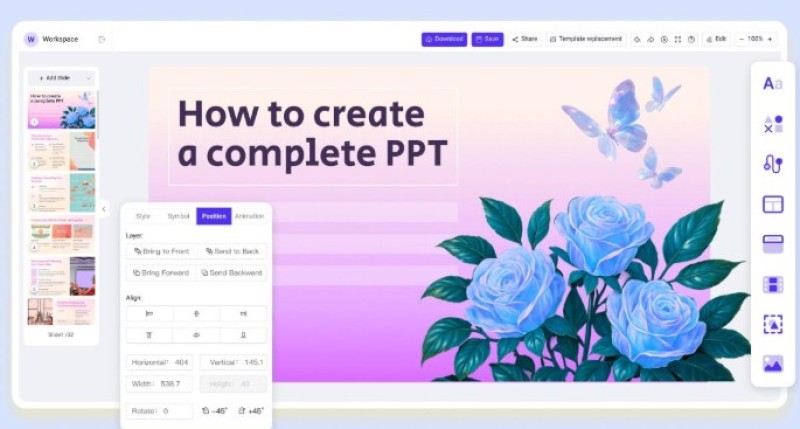
The main feature is the AI Slides Generator. It handles the details of design so you do not have to. You only need to take a few easy steps:
- Start with an Idea: Give the AI a simple topic, or upload your existing files like PDFs or Docx.
- Instant Generation: The AI quickly analyzes your input. It provides a logical slide structure, creates the text, adds images, and designs a captivating layout.
- Easy Customization: Although AI has helped you omit many steps, you can also easily edit the content, add your own photos or logo, and change the look and style.
- Full Compatibility: When finished, you can export your work to common formats like PPTX, PDF, or JPG. This means the slides work perfectly with tools like Microsoft PowerPoint and Google Slides.
Beyond Slides: A Full AI Toolbox
WorkPPT does not stop at just creating presentations. It offers a set of integrated AI tools that enhance overall efficiency and knowledge management.
- AI PDF Tools: WorkPPT can help users to merge, split, convert, and add watermarks to PDF files all in one place.
- AI Summarizer: The ability to quickly understand large amounts of information is key. The AI Summarizer allows users to upload documents (PDF/Docx/TXT) or paste text to get fast, accurate summaries.
- AI Mind Map: For brainstorming or project planning, the AI Mind Map feature takes a topic and creates a logical, organized mind map in real-time.
- AI Chat: A built-in virtual tutor offers help and inspiration, acting as a resource to refine ideas or answer questions during the creation process.
Who Benefits from the WorkPPT AI Presentation Maker?
The main goal of this AI tool is to save time and raise the quality of output across many fields.
- For business professionals: In a fast-moving corporate environment, time is money. WorkPPT allows business users to create polished client decks, internal reports, and project updates in seconds.
- For educators: The tool removes the "design hassle" from educational preparation. WorkPPT allows educators to generate lesson slides and lecture summaries easily.
- For students: Students can quickly create professional-looking project presentations and study materials, focusing more on learning and research than on formatting.
- For content creators: People creating content for social media, videos, or tutorials can convert their written scripts and ideas into visually strong slide content quickly, making their work more engaging.
Conclusion
WorkPPT AI presentation maker shows an important new trend: AI works as a helper, not a replacement. It handles the boring and repetitive parts of making slides, such as layout and structure. This lets people spend more time thinking, planning, and telling better stories. Try it and let it power your next presentation.
 Editorial staff