Editorial staff

- Adding Captions to Videos in 8 Different Languages
- Accurate Captions That Follow the Context
- Over 18 Dynamic Subtitles Styles to Choose From
- Editing Tools Are Available to Make Small Changes As You Go
- Highlighting What Matters
- Made for Volume
- Practical Use Cases
- Reaching a Global Audience
- Final Takeaway
Open any feed, and you'll notice: people are watching, not listening. If your video relies on audio alone, you've already lost the viewer. Subtitles are now a survival tactic, but writing them manually is a grind that eats hours, and therefore, an automatic caption generator steps in.
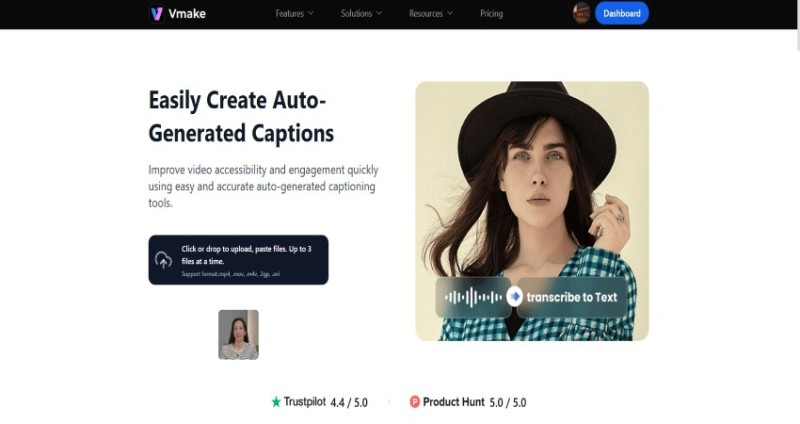
This is where Vmake steps in. It automates the heavy lifting, instantly syncing text to speech. But it goes beyond simple transcription. Modern captions need to jump and light up to keep eyes on the screen. Vmake handles this by making the captions the visual hook of your videos.
Adding Captions to Videos in 8 Different Languages
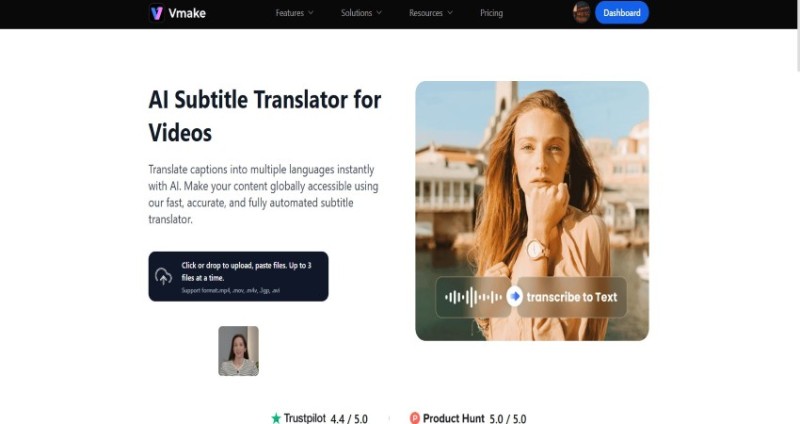
Everything begins with the audio. When a video is uploaded, Vmake extracts the sound and sends it through its speech-to-text system. Speed matters here; creators expect a near-instant result so they can move straight into editing. The engine supports seven widely used languages: English, Spanish, Portuguese, Indonesian, Japanese, Korean, and Chinese. Each covers the bulk of global creator markets.
Accurate Captions That Follow the Context
Accuracy comes next. No automated tool can avoid the occasional slip, especially when dealing with strong accents, background noise, or quick slang. What Vmake offers is a solid baseline that allows creators to skip the typing marathon.
Instead of producing a full transcript from scratch, they step in as editors. It fixes spelling and refines phrasing automatically. It splits text at pauses to keep it clean. Timing is key, and bad sync kills the flow. The engine works to land each line at the moment the word is spoken.
Over 18 Dynamic Subtitles Styles to Choose From
Where Vmake stands out is its visual treatment of subtitles. You’ve seen that aggressive caption style everywhere: thick fonts, bright colors, and words that pop or glow as they are spoken.
It’s the standard for viral clips, but it’s not just for show; it’s tactical. Animating text and popping keywords locks the eye to the center. It turns reading into a visual rhythm, forcing the viewer to watch instead of scrolling past.
Vmake includes more than 18 dynamic caption styles, each built with its own animation patterns. Some behave like karaoke lines that fill in as the speaker talks. Others pop or slide into place. There are clean, minimal options as well as loud, energetic ones for sales clips or motivational content. Instead of forcing creators into a one-size-fits-all look, the library gives them options that match tone and pacing.
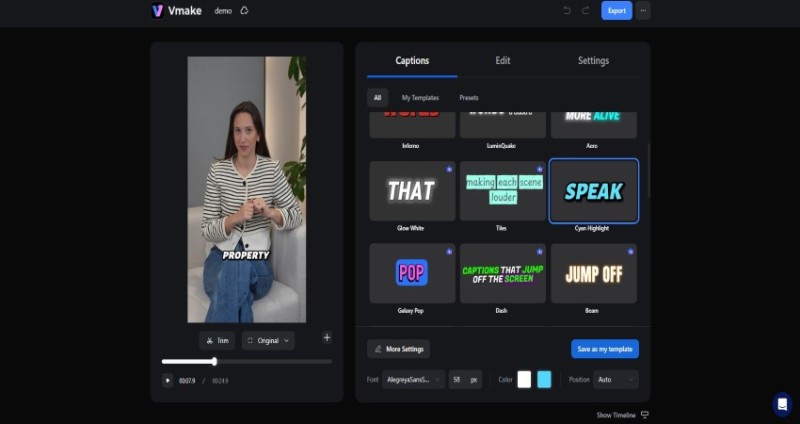
Then comes customization. Templates are convenient, but overuse can make videos look generic. The editor allows fine adjustments, like colors, outlines, stroke weights, fonts, and emphasis styles.
Brands with strict guidelines can match their own palette and typography. This consistency is particularly important for creators who publish series-based content or businesses running weekly campaigns. When subtitles match the rest of the visual identity, everything feels intentional.
Editing Tools Are Available to Make Small Changes As You Go
After transcription and style selection, the editor opens up. Vmake avoids the intimidating feel of professional editing software. There’s no clutter of timelines, tracks, or hidden layers. Instead, the transcript sits alongside the video in a clean layout.
Fixing mistakes is direct. Clicking a word in the transcript highlights it in the video, and any changes are updated instantly in the preview. This direct connection eliminates the usual friction of navigating text layers or dealing with keyframes.
Timing adjustments are just as simple. If a line appears slightly ahead or behind, it can be trimmed or moved with the same ease as editing text in a document. Creators can split long subtitles into shorter beats or merge fragments that feel too chopped. Small refinements like this maintain flow and prevent text from covering important visual moments.
Highlighting What Matters
A feature often overlooked but extremely useful in marketing is keyword emphasis. Certain words carry more punch—“Free,” “Today,” “Limited,” “Fast,” “Start,” “Result.” Vmake lets you select individual words and give them a different size or color, making them jump out without altering the entire caption style.
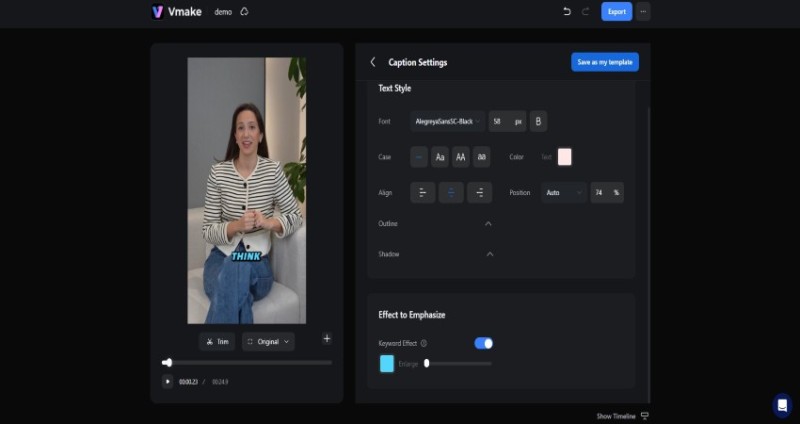
It steers the eye. Even if someone is just skimming, bold keywords grab their attention. In tutorials, highlighting keywords kills confusion instantly. It’s a small detail that ensures your lesson actually sticks.
Made for Volume
Not everyone works on one video at a time. Agencies, editors, and freelance creators often handle batches of content. Here, workflow matters. Built for speed, Vmake lets you jump between clips without resetting settings. It burns captions directly into the video, which is essential for keeping your style consistent on TikTok and Instagram.
It also allows exporting SRT subtitle files—useful for YouTube and LinkedIn, where caption files improve accessibility and help algorithms understand the content. Having both options gives creators flexibility. Social channels get visually styled captions baked into the video, while platforms that rely on metadata get clean text files.
Practical Use Cases
The tool’s biggest impact shows up in talking-head videos. Vmake’s avatar speaks about real estate tips, fitness routines, coaching clips, and any format or topic that requires the speaker to look directly into the camera. These videos live or die based on how quickly they hook the viewer. Well-paced subtitles give them that extra push.
UGC-style ads benefit too. Brands rely on authentic, natural-looking testimonials. Captions that match the native platform style help these videos blend into the feed instead of feeling like scripted commercials. Vmake’s presets and highlighting tools produce that balance between polished and organic.
Reaching a Global Audience
Going global is simple now. Language support isn't just a nice extra; it is the fastest way to build a worldwide audience. You can record a clip in Portuguese, generate immediate captions, and then use that clean text as a blueprint for translation or dubbing. It turns a local video into a global asset instantly.
You aren't just making content for your neighbors anymore; you are opening the door to viewers everywhere, regardless of the language they speak. It turns a local clip into a global asset instantly. It turns a local video into global content without the usual headache.

Stop making videos just for your neighbors. You can now reach anyone, anywhere. The clean output makes localization simple, even if you handle the actual translation elsewhere.
Final Takeaway
A good captioning tool saves time, but a great one also elevates the final product. Manual transcription costs hours. Hiring editors costs money and delays publishing. Vmake hits the sweet spot: fast enough for daily posts, yet polished enough for pro campaigns. It automates the grunt work, so you can focus on the style. In a world that watches on mute, it ensures your words actually deliver the message. Vmake ensures they land with clarity and intent.
 Editorial staff